

Introduction
In today’s cloud-first world, controlling who can access what—and under which conditions—is critical for security and compliance. Both AWS Identity and Access Management (IAM) and Azure Active Directory / IAM provide frameworks to manage identities, permissions, and resource access across cloud environments. By understanding how these systems define users, roles, policies, and conditional access, organizations can enforce the least privilege, adopt Zero Trust principles, and maintain visibility and control over their cloud resources. In this blog, we’ll explore the core concepts, similarities, and best practices for managing identities and access in AWS and Azure.
AWS Identity And Access Management – The IAM Story
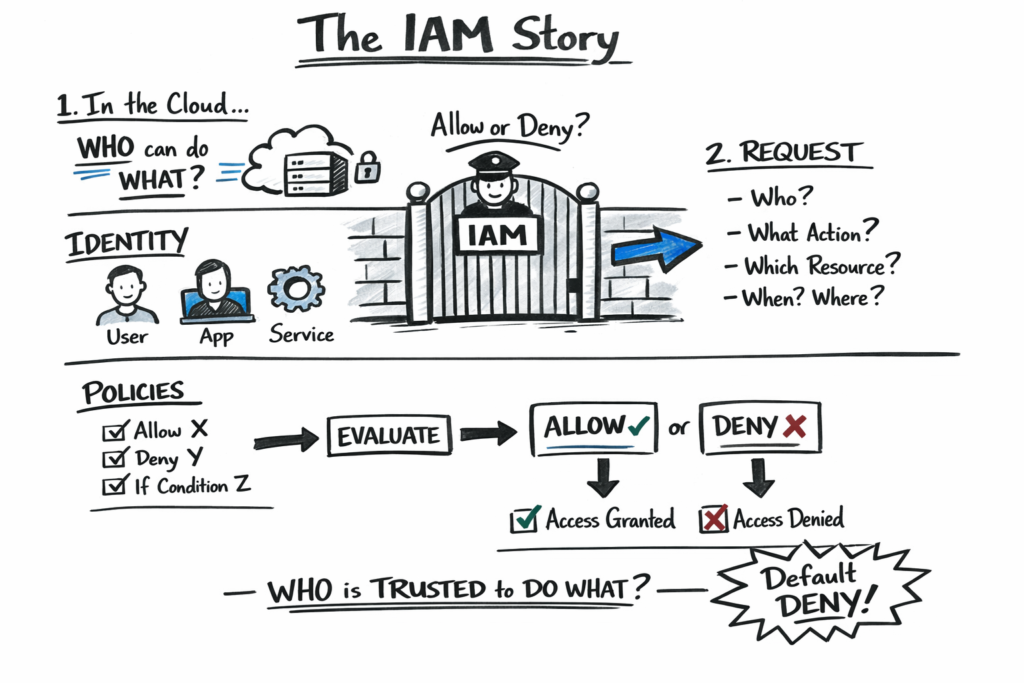
Amazon Web Services (AWS) Identity and Access Management (IAM) is the backbone of secure cloud operations. It provides a centralized framework to control who can access what resources, under which conditions, and how. Understanding the anatomy of IAM is crucial for architects, developers, and security professionals to implement least-privilege access, enforce Zero Trust principles, and maintain robust governance in the cloud.
At its core, IAM revolves around identities (users, roles, and groups), permissions (policies and actions), resources (the target AWS services), and conditions (contextual factors like time, location, and device). Together, these components form a dynamic system that evaluates every request to produce an allow or deny decision, enabling organizations to secure their cloud environments while maintaining operational flexibility.
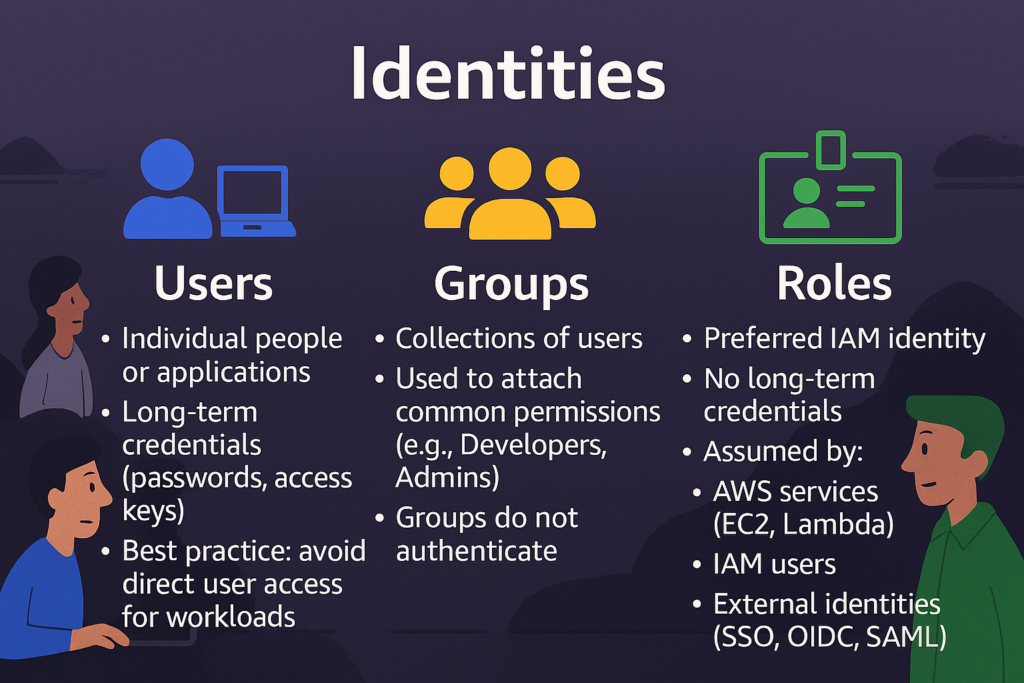
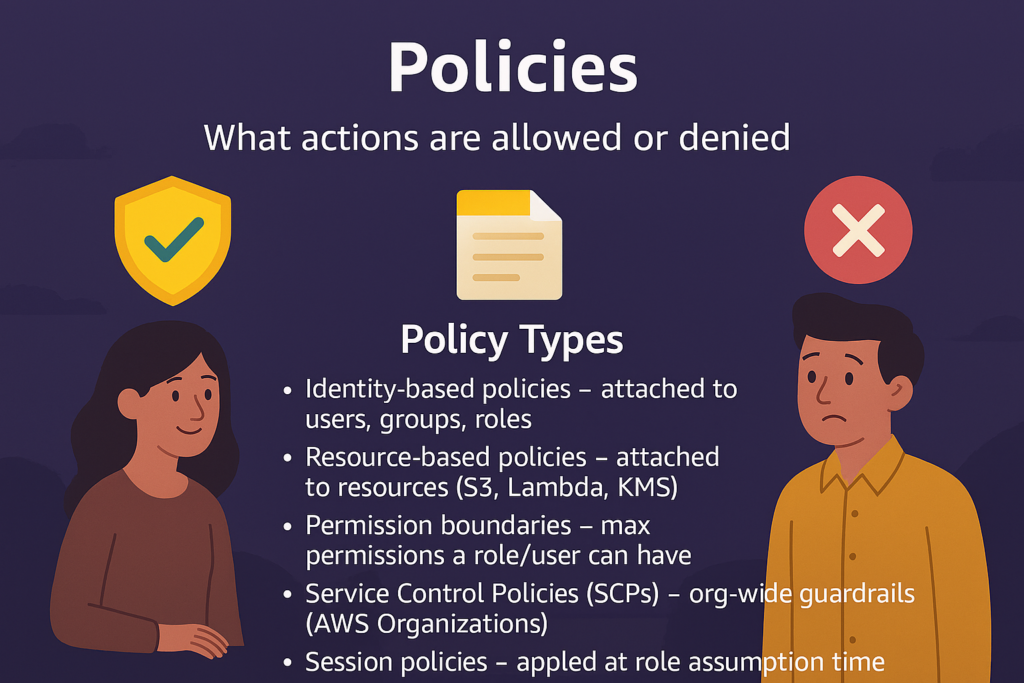
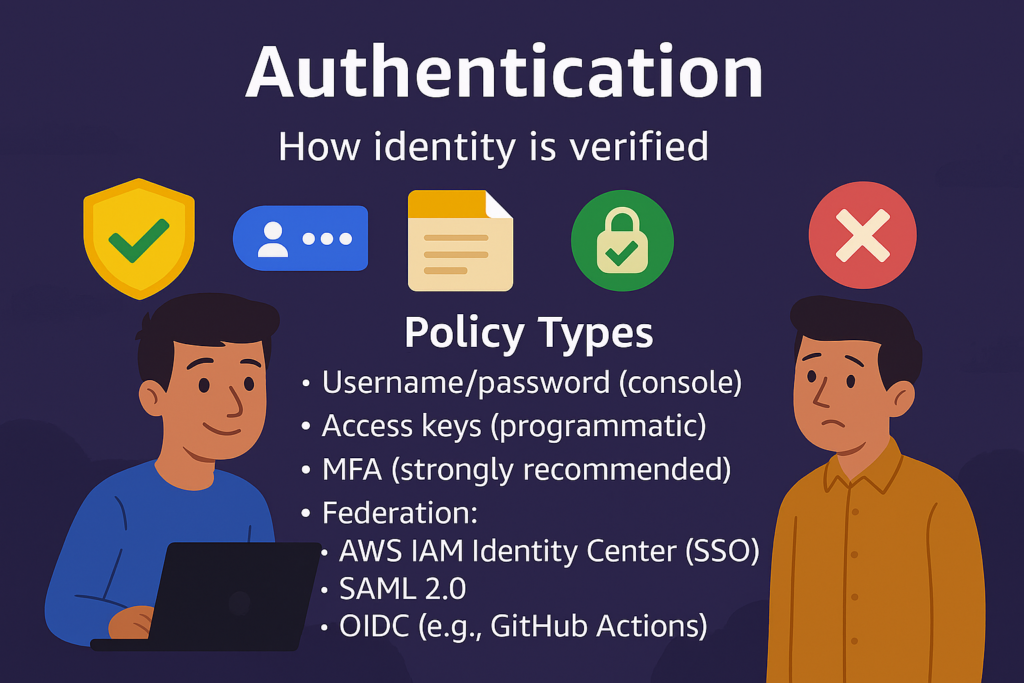
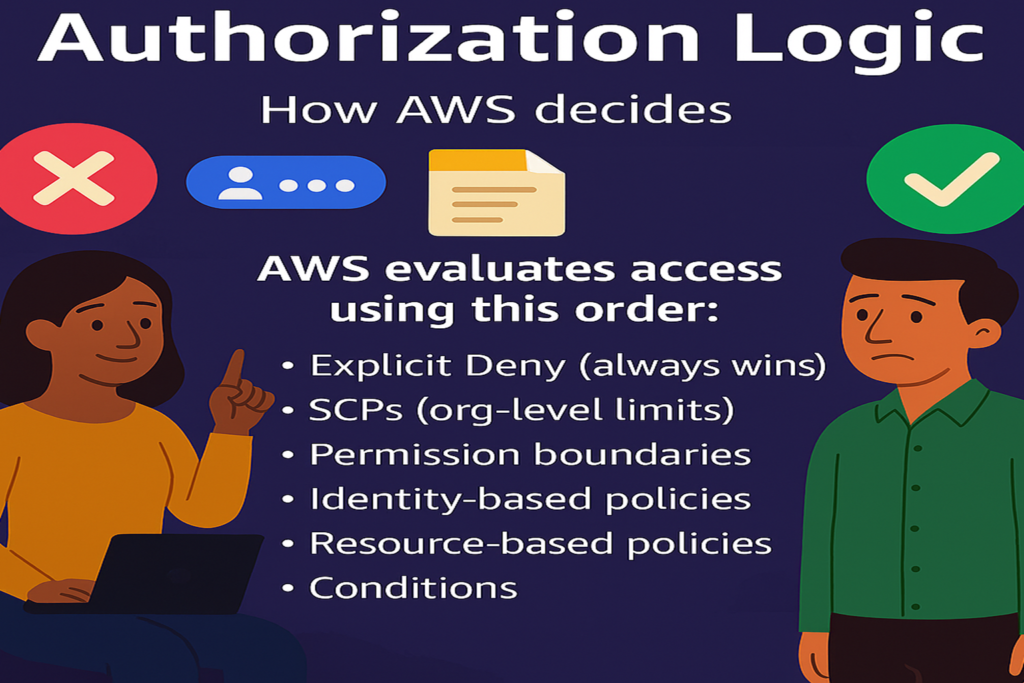
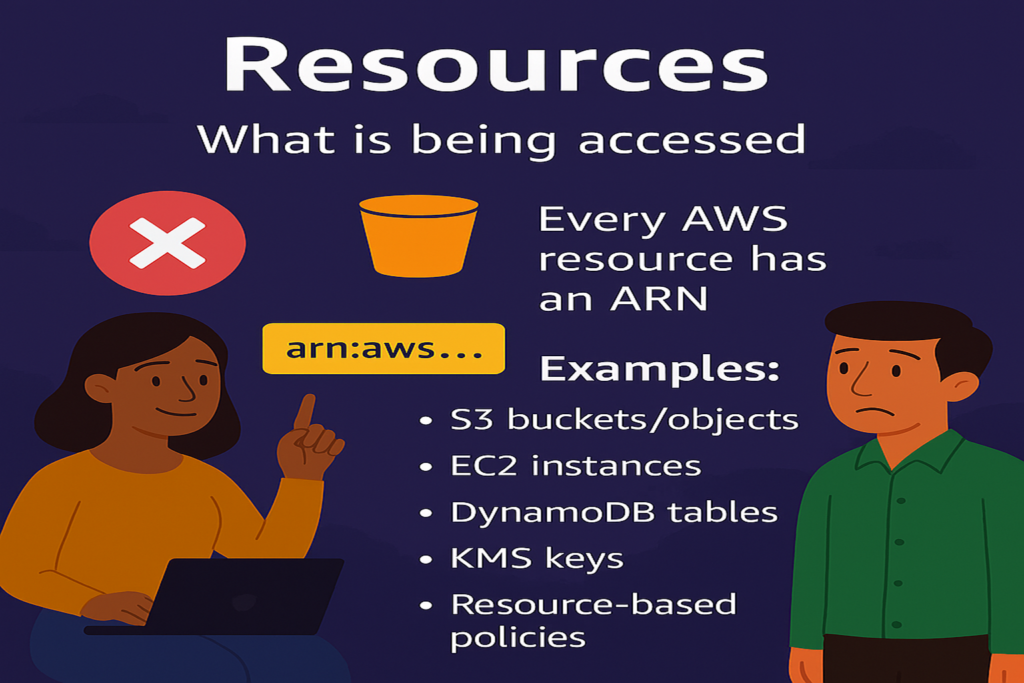
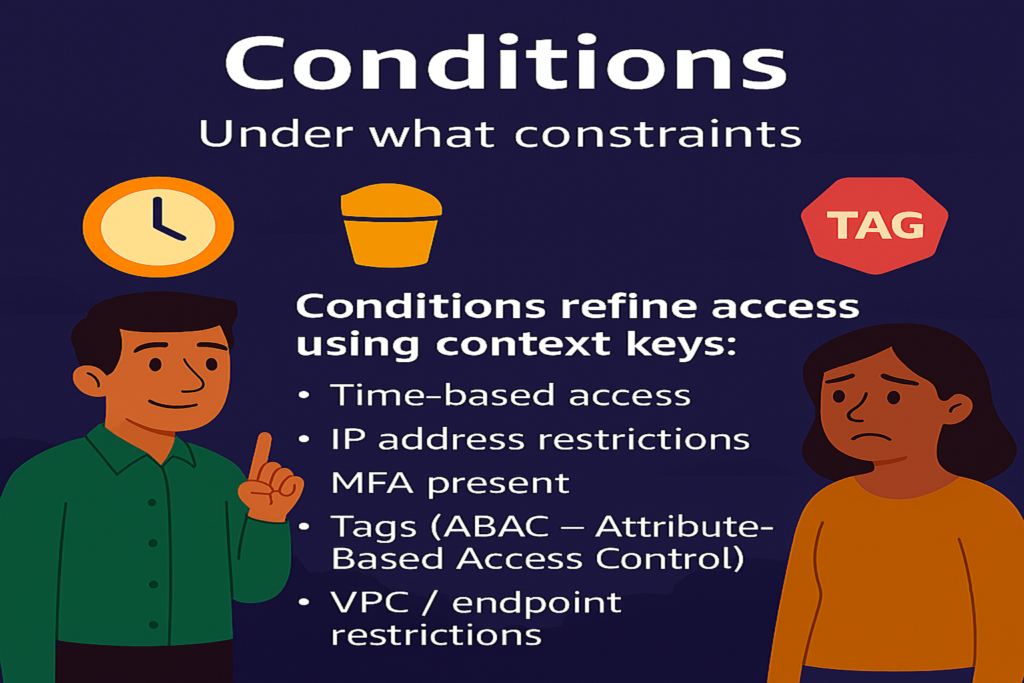
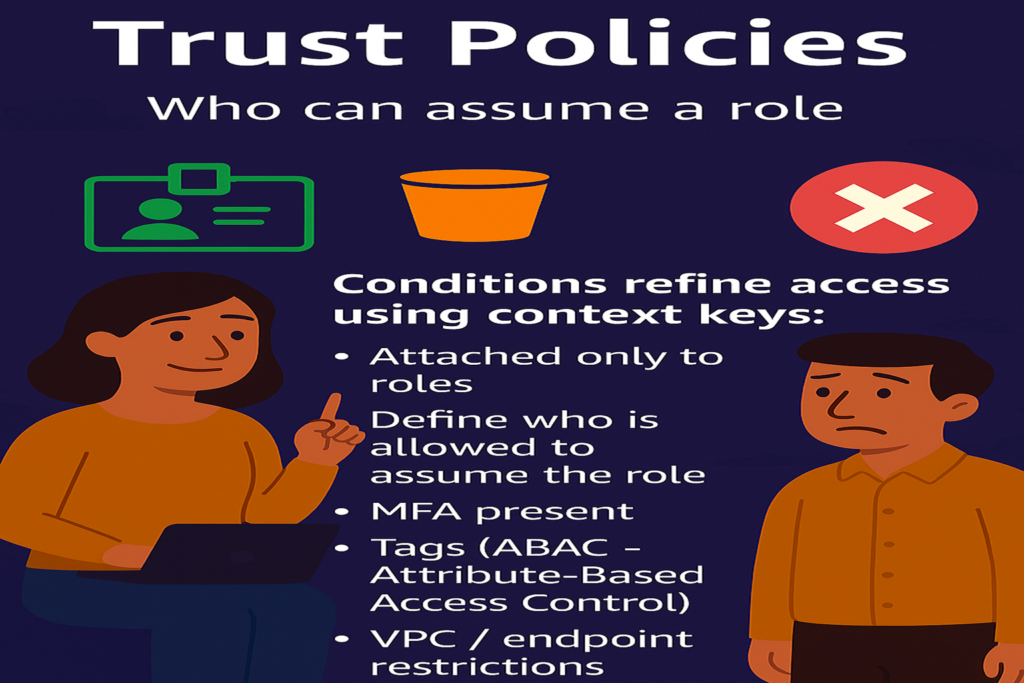
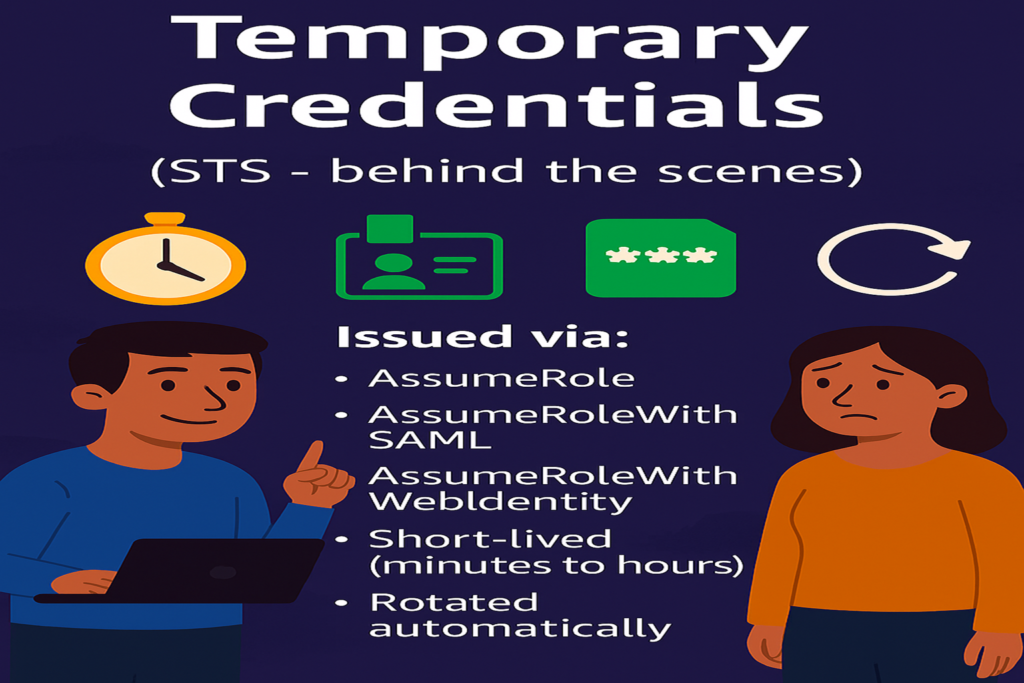
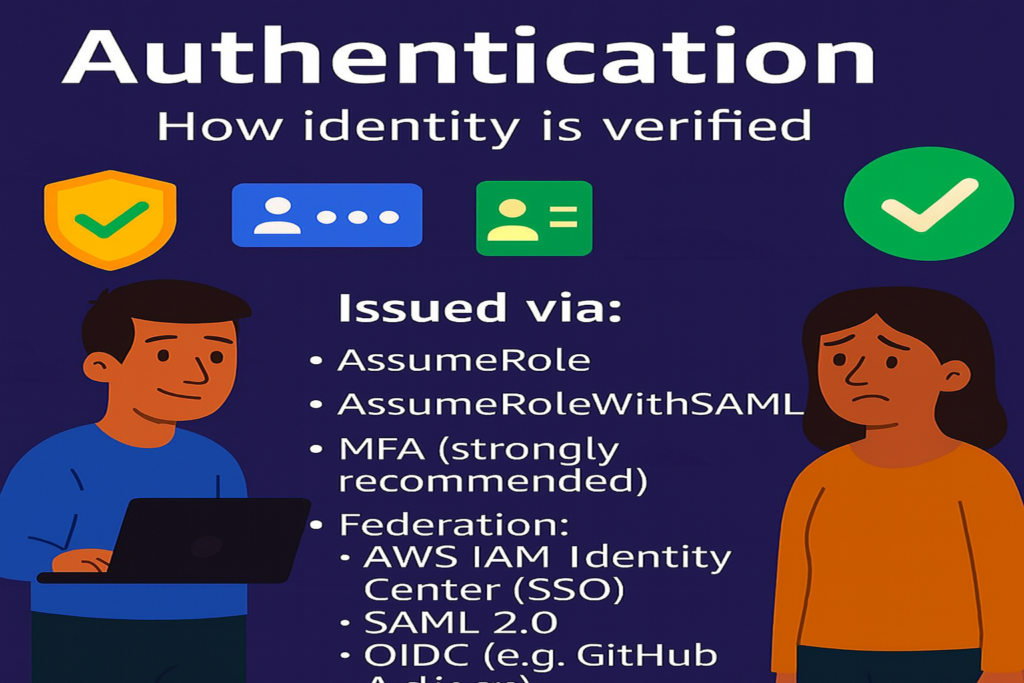
Following flowchart summarizes the relation between the various components
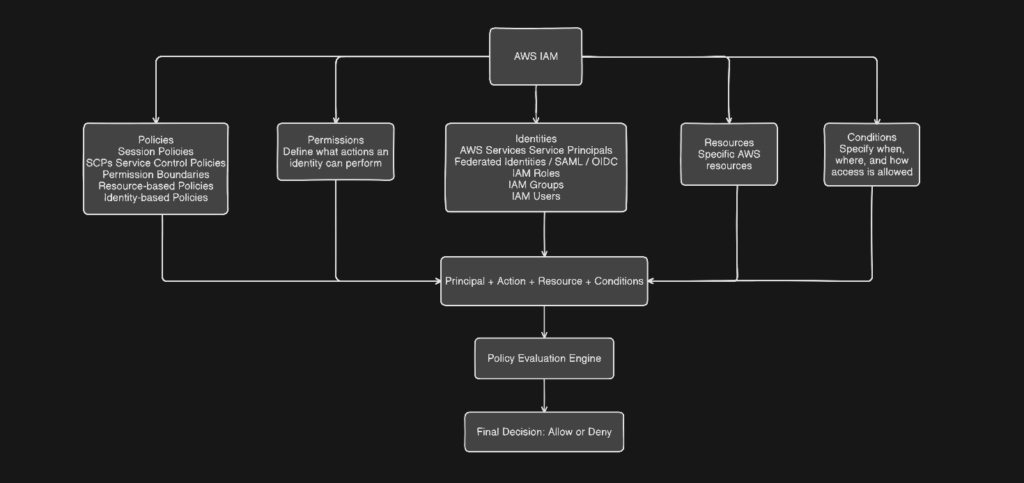
As you can see from the above flow chart that the evaluation of policies is done across identities, actions, conditions, resources, permission, service control policies and temporary credentials to finally decide if the request is to be allowed or denied. The evaluation conditions can exist in
- IAM Policies (Most Common Place) = Conditions are most often defined in the
Conditionblock of a policy statement. They apply to Identity-based policies, Resource-based policies, Session policies, Permission boundaries and SCPs - Resource-Based Policies-Some AWS services support conditions directly on the resource itself. Examples are S3 bucket policies, KMS key policies, Lambda permissions, SNS/SQS policies. Typical conditions include Source VPC / VPC endpoint, Encryption requirements, TLS enforcement etc.
- Trust Policies (Role Assume Conditions) – Conditions can be placed in a role’s trust policy to control who can assume the role and under what constraints. Examples are like allow role assumption from a specific account, Require MFA etc
- Service Control Policies (SCPs) – Conditions in SCPs act as organization-wide guardrails like Deny actions outside approved regions, require encryption etc.
- Permission Boundaries – Conditions limit how permissions can be used, even if allowed elsewhere. For example – Allow role creation only if certain tags are present
- Session Context (Implicit Conditions) – Some conditions are evaluated at request time, even if you don’t explicitly write them.
- Request-Time Constraints– Conditions can evaluate attributes such as The API request, The network path etc. from form the policy evaluation context.
What is the Structure of the Policy? Every policy is built from one or more statements, each with these elements there are six elements. See the chart below for explanation
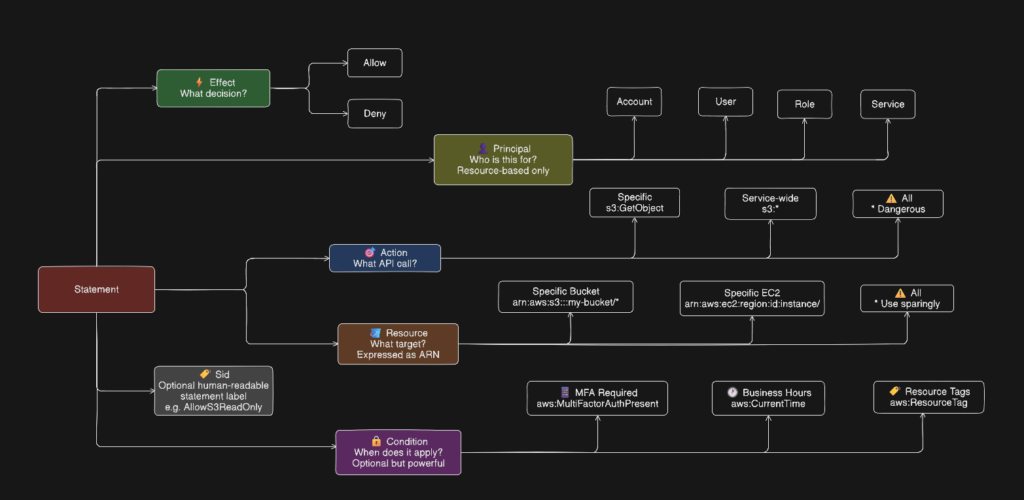
The Policy evaluation logic follows the order given below
- Explicit Deny — if any policy denies the action, it is denied. Full stop. No other policy can override it.
- Explicit Allow — if a policy allows the action and nothing denies it, it is allowed.
- Implicit Deny — if nothing explicitly allows it, it is denied by default. Everything is denied unless specifically permitted.
Cross-Account Evaluation: For cross-account access, both the identity-based policy on the requester AND the resource-based policy on the target must allow the action. One alone is not enough (except for some resource-based policies that grant access to the entire account).
Conditions: Conditions are what make policies truly powerful. Common condition keys:
| Condition Key | What It Controls |
|---|---|
aws:MultiFactorAuthPresent | Require MFA |
aws:SourceIp | Restrict to IP range |
aws:RequestedRegion | Limit to specific regions |
aws:PrincipalTag | Match tags on the principal |
aws:ResourceTag | Match tags on the resource |
aws:CurrentTime | Time-based access |
s3:prefix | Restrict S3 path access |
In a typical sequence, these get evaluated as shown below
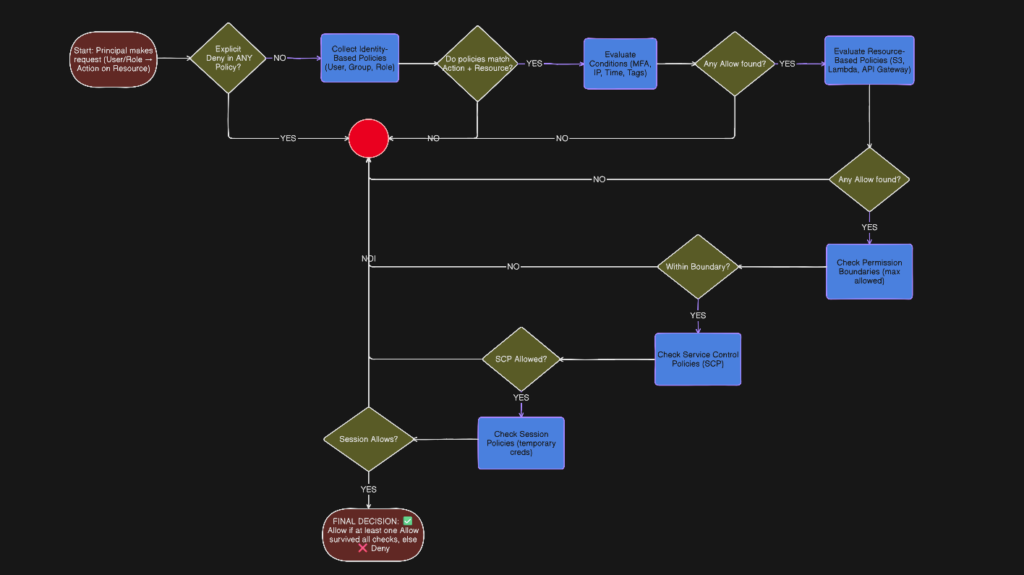
For example, consider a DevOps engineer attempting to delete an object from a production S3 bucket. The steps given below narrate how the Allow or Deny decision is arrived at:
| Step | Control | What is Evaluated | Why It Exists | Question It Answers |
|---|---|---|---|---|
| 1 | Explicit Deny | Any policy statement with Effect: Deny across all policy types | Ensure absolute security overrides | Is there any rule anywhere that says NO? |
| 2 | Identity-Based Policies | Policies attached to users, roles, sessions (actions + resources) | Define what an identity is allowed to do | What can this identity do? |
| 3 | Conditions | MFA status, source IP, time, region, tags, device context | Enforce contextual and Zero Trust access | Under what conditions is this allowed? |
| 4 | Resource-Based Policies | Policies on resources (S3, KMS, SNS, etc.) | Let resource owners control access | Does the resource trust this identity? |
| 5 | Permission Boundaries | Maximum permissions allowed for the identity | Prevent privilege escalation | Is this within the allowed maximum? |
| 6 | Session Policies | Inline policies applied during role assumption | Limit permissions for a single session | What is allowed in this session only? |
| 7 | Service Control Policies (SCPs) | Organization-level allow/deny guardrails | Enforce centralized governance | Is this allowed in this account at all? |
| 8 | Final Decision | Aggregated result of all evaluations | Produce a deterministic outcome | Allow or Deny? |
The following table describes where these permissions boundaries are and where these are attached
| Policy Types | AWS Service | Attachment Point | Lifetime | Explanation |
|---|---|---|---|---|
| Identity Policy | IAM | User / Role / Group | Persistent | Most common policy type Can be managed or inline |
| Resource Policy | Resource Service | Resource | Persistent | Attached to AWS resources like S3 buckets, KMS keys, Lambda functions, SQS queues. Defines who can access that specific resource Unique because they include a Principal element Useful for cross-account access without assuming a role |
| Permission Boundary | IAM | User / Role | Persistent | A guardrail that sets the maximum permissions an identity can ever have — even if their identity-based policies grant more. Does not grant permissions on its own Acts as a ceiling Commonly used to safely delegate IAM management to developers without letting them escalate their own privileges |
| Session Policy | STS | Role Session | Temporary | Applied at the AWS Organizations level — account or organizational unit. Sets maximum permissions for entire AWS accounts Even the root user of an account cannot exceed SCP limits Used by central security teams to enforce guardrails across all accounts Example: prevent any account from disabling CloudTrail or creating resources outside approved regions |
| SCP | AWS Organizations | Org / OU / Account | Persistent | Passed at the time of assuming a role to further restrict what that session can do. Cannot grant more than the role itself allows Useful for temporary scoped-down access Common in applications that vend temporary credentials to users |
| Conditions | IAM / Resource | Policy Statement | Policy lifetime |
Finally a comparison of Managed – AWS and Customer Managed and Inline Policies
| Policy | Explanation |
| AWS Managed Policies | Created and maintained by AWS Cover common use cases (ReadOnlyAccess, AdministratorAccess, PowerUserAccess) Updated automatically by AWS when new services launch Cannot be edited Good starting point but often too broad for production |
| Customer Managed Policies | Created and maintained by you Reusable across multiple identities Version controlled — you can roll back to a previous version Best practice for production environments |
| Inline Policies | Embedded directly inside a single user, group, or role Deleted when the identity is deleted Not reusable Harder to audit at scale Generally discouraged unless you specifically need a strict one-to-one relationship between policy and identity |
IAM Roles
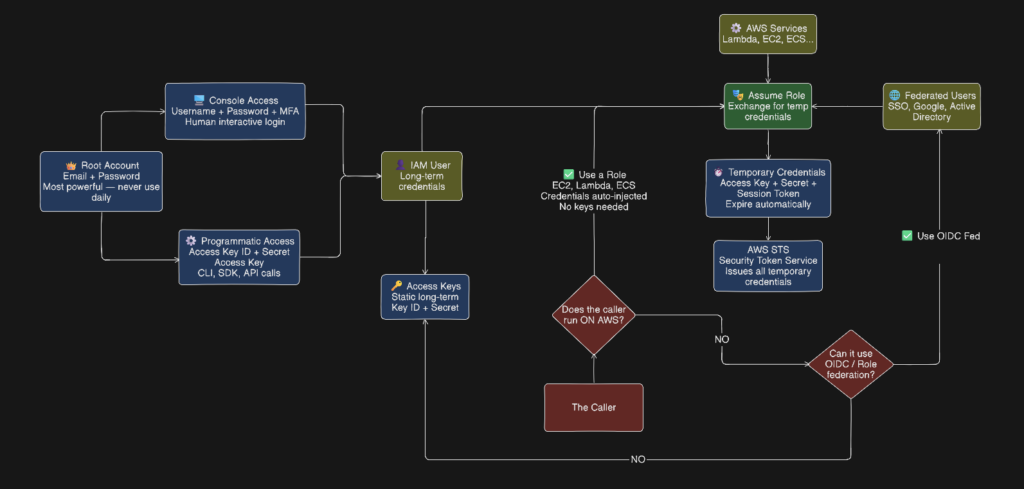
A role is an identity with permissions that can be temporarily assumed by anyone or anything that needs it — a user, application, or AWS service. Unlike users, roles have no long-term credentials. Instead they issue temporary security tokens that expire automatically. Think of a role like a hat you put on temporarily. When you assume the role you get its permissions. When you’re done you take the hat off. The credentials expire on their own. IAM Users, AWS Services, External identities and Other AWS accounts(cross-account access) can assume a role. Every role has two key policies – Trust Policy — defines who is allowed to assume the role and Permission Policy — defines what the role can do once assumed.
Roles are preferred overs users because they do not have any static credentials that can leak, they use temporary tokens that expire automatically, it is easy enforce least privilege and can be easily used by AWS services. Somme of the common use cases for Roles are Service role – Lambda writing to S3, Cross-account – Dev account accessing Prod resources,. Federated access – Company SSO logging into AWS and EC2 instance profile – App on EC2 calling DynamoDB
Access Keys & Credentials in AWS IAM
Some things cannot log into a browser. A script, application, or server has no hands to type a password or click an MFA prompt. Access keys solve this by giving non-human callers a way to authenticate programmatically. Some of the use cases for Access keys are Local Development on Your Laptop,. CI/CD Pipelines Outside AWS,. Third Party Tools & Integrations,. Legacy Applications and AWS CLI on Non-AWS Machines. They are the modern replacement of OIDC Federation functionality.
There are two types of AWS Credentials.
- Long-Term Credentials – Static credentials that never expire unless you manually rotate or delete them. Belong exclusively to IAM Users.
- Exist until you manually delete or rotate them
- Each IAM user can have a maximum of 2 access keys at a time (allows rotation without downtime)
- If leaked they are valid forever until revoked
- Highest risk credential in AWS
| Component | Example | Purpose |
|---|---|---|
| Access Key ID | AKIAIOSFODNN7EXAMPLE | Public identifier — like a username |
| Secret Access Key | wJalrXUtnFEMI/K7MDENG... | Private secret — like a password, shown once only |
- Short-Term Credentials – Temporary credentials issued by AWS STS (Security Token Service) when assuming a role. Expire automatically.
- Issued by AWS STS via
AssumeRole,AssumeRoleWithWebIdentity, orGetSessionToken - Expire in 15 minutes to 36 hours depending on configuration
- If leaked they become useless when they expire
- Cannot be revoked individually — you just wait for expiry or revoke the role’s trust
- Issued by AWS STS via
| Component | Purpose |
|---|---|
| Access Key ID | Same format as long-term |
| Secret Access Key | Same format as long-term |
| Session Token | Extra element — proves it is temporary, required on every API call |
Short-term credentials have a third element that long-term credentials do not. Every API call made with temporary credentials must include the session token or it will be rejected. This is how AWS knows the credential is temporary and can enforce expiry. The prefix of the Access Key ID tells you which type it is: AKIA – Long-term — IAM User access key,. ASIA – Short-term — temporary STS credential,. AROA – Role ID — not a credential but identifies a role and AIDA – IAM User ID — not a credential but identifies a user
Identity Provider Vs Identity and Access Management
How is the Identity Provider different form Identity and Access Management?
Identity and Access Management (IAM) is the control system that decides who or what can access cloud resources and under what conditions. It evaluates every request based on identity, permissions, and context, ultimately allowing or denying access. IAM does not authenticate users; instead, it enforces least-privilege access using policies, roles, and conditions.
An Identity Provider (IdP) is responsible for proving who the user is. It authenticates users through passwords, MFA, or single sign-on and issues trusted identity tokens. IAM relies on these tokens to make authorization decisions, keeping authentication and authorization cleanly separated and more secure. The former part is called Authorization and the latter part is called Authentication.
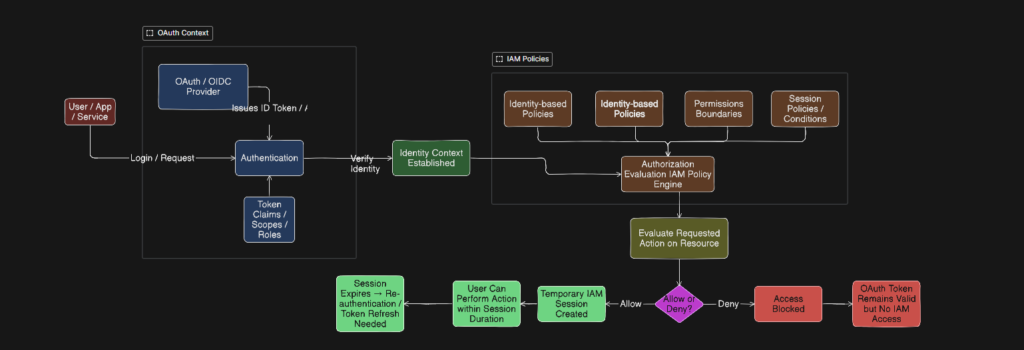
At a very high level, IdPs provides Identity in the form of a token to IAM by assuming a role or a federated identity so that IAM can evaluate policies attached to decide to allow or deny the request. The part of the flow that is handled by IdP is called Authentication and the part that is handled by IAM’s(in some cases IDPs) is called Authorization. Authentication answers the question: “Who are you?” and Authorization answers the question: “What are you allowed to do?”
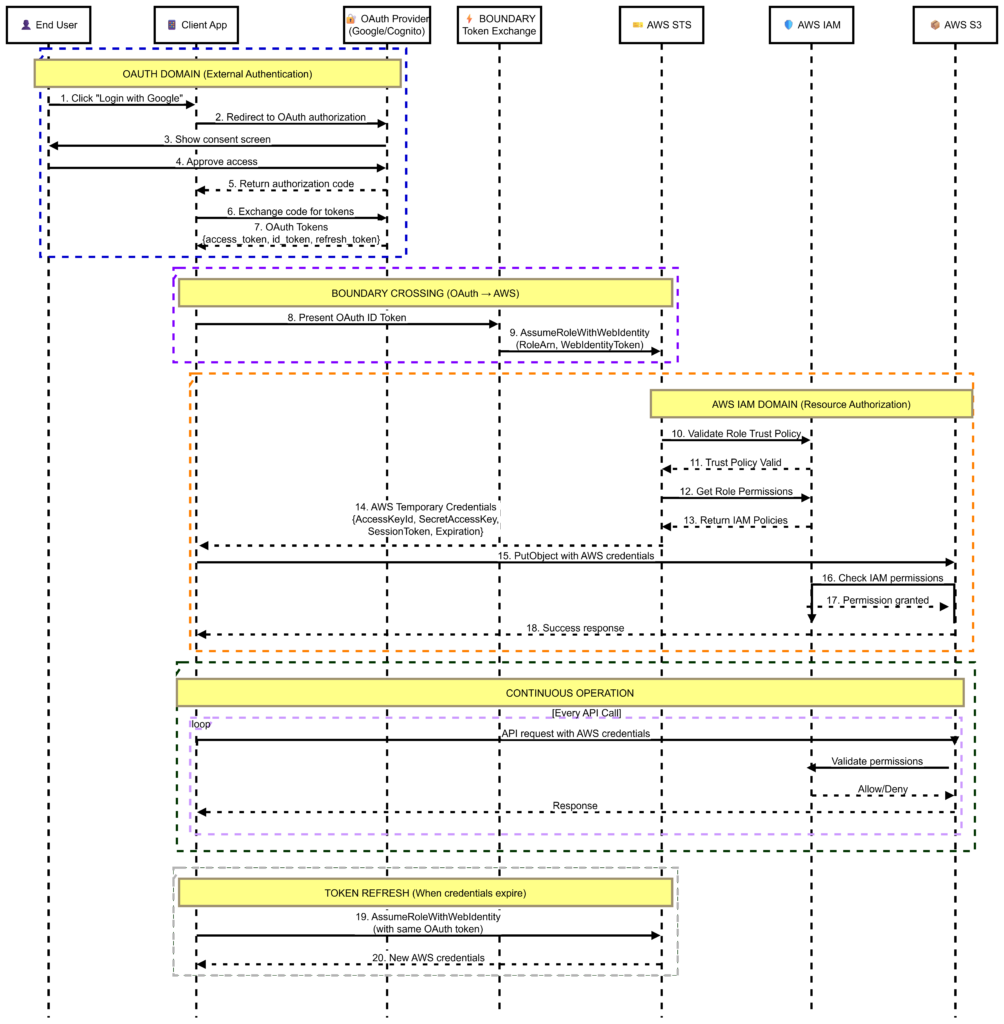
In a typical scenario, A user logs in via an OAuth/OIDC identity provider (e.g., Google, Okta, Azure AD), The IdP issues an ID token that proves the user’s identity and AWS IAM receives the token via STS: AssumeRoleWithWebIdentity, authenticates the user, and maps them to an IAM role. OAuth token may include roles, groups, or attributes (claims), AWS maps these claims to an IAM role with specific permissions and IAM then evaluates policies and conditions to determine allowed actions.
The flow is illustrated in the chart below
A sample real-life use case
Consider a web application involving interaction involving IAM and IdP facilitating the smooth execution of a business process. The chart explains how the external identity providers like Google,. Facebook etc. Interacts with AWS IAM in executing the business process
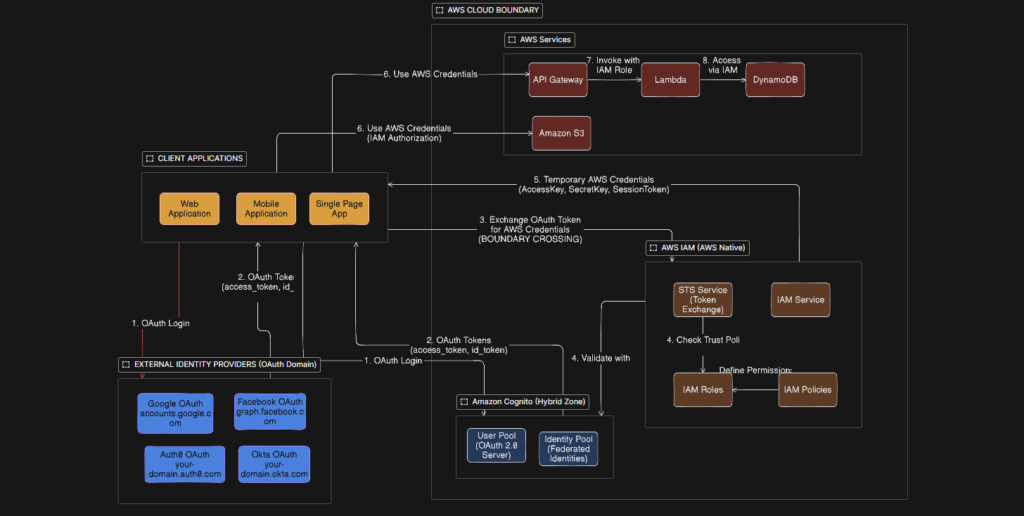
The process is illustrated using a sequence diagram below showing the steps from beginning to the end
A few more examples of practical scenarios
| Scenario | Goal | Key Steps | Key Mechanism |
|---|---|---|---|
| Developer Least Privilege | Give developer only what they need | 1. Create IAM Group 2. Attach specific service policies only 3. Add user to group 4. Enforce MFA via condition 5. Review with Access Advisor after 30 days | IAM Group + Scoped Policies + MFA Condition |
| Lambda → S3 & DynamoDB | Let Lambda access AWS services without keys | 1. Create IAM Role with Lambda as trusted service 2. Attach policy with only needed actions 3. Scope to specific bucket and table ARNs 4. Attach role to Lambda function | Execution Role + Least Privilege Policy |
| Cross-Account Access | Allow Account A to access Account B resources | 1. Create role in Account B 2. Set trust policy to allow Account A 3. Grant sts:AssumeRole in Account A 4. Developer assumes role for temp credentials | Trust Policy + STS AssumeRole |
Conclusion
In this article, We have taken a deep dive into AWS IAM, It’s components, how they are related and how do they compliment each other and work along with external Identity providers to provide robust security